.jpg.webp)
RGB to Hex Converter
Transform Your Colors Instantly








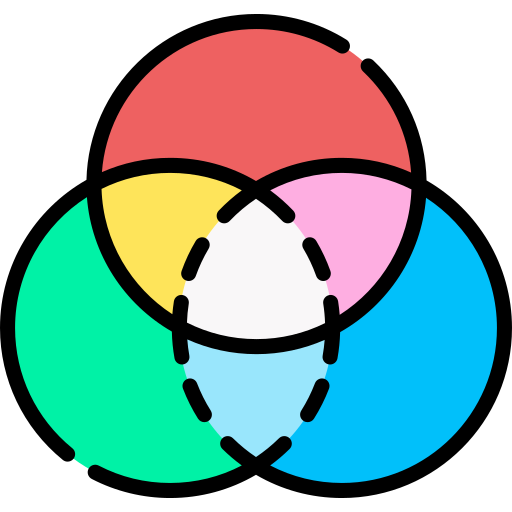

This simple RGB to Hex color conversion tool allows you to calculate the transition between RGB and hex color values. Simply select the color levels for R, G, and B to obtain the conversion code for RGB and hex color. Our hex color converter makes everything easier.
Free, Easy to Use – RGB to Hex Converter You Can Trust!
Here is a scenario you can probably relate to:
You are in the middle of creating an HTML or CSS web page, whether it is a blog, an e-commerce landing page, or a full-fledged website. You know exactly the colors you want to use in certain parts of the page, but the problem is that the colors are only available to you in the RGB color model.
What should you do to get the same exact colors in HTML codes so you can easily insert them into your creation? The answer? Convert your RGB color to Hex. And with our RGB to Hex hex color conversion tool, it is much easier than you think!
Let us show you how.
About Our RGB to Hex Converter
The RGB to Hex Converter from ToolsBrowser is a hex color code generator that allows you to convert RGB color values to HEX codes. It is a tool that can be used to quickly convert RGB colors to their hexadecimal values for HTML pages, graphics, and other digital screen design projects.
Photo editing and graphic design software like Photoshop traditionally display colors in RGB. If a designer wants to use the exact same RGB colors as their preferred colors for a code-based project, they must first convert the RGB color values to their hexadecimal representation to be able to use them as HTML or CSS codes.
This is where our tool comes in. Our hex color converter takes input in the form of Red, Green, and Blue color values ranging from 0 to 255, and returns the values in a hexadecimal string, which you can use for specifying hex color in HTML or CSS code.
Whether you are a professional web developer, a mobile app designer, or just a hobbyist who loves playing with codes, this tool can completely make your life much easier. It is super simple, reliable, and fast.
As an added bonus, this RGB to Hex tool displays a clear color preview of your hex color, so you know you are copying the right code for your favorite color. It displays both RGB and hex color values.
How to Use It
Our RGB to Hex hex color converter is equipped with a user-friendly interface to ensure that anyone can use it with absolute confidence regardless of their technical experience.
All you have to do is simply adjust the hex color levels for red, green, and blue, and the tool will automatically show you the hexadecimal equivalent in real time – the hex color values will change in real time while you are still adjusting the RGB color values.
After adjusting the hex color and wanting to start over to get another color code, simply click the "Reset" button. This way, all values will return to zero where you can set each value again to get a new hex color.
RGB and HEX Explained!
What is RGB, anyway? RGB stands for Red, Green, and Blue. These are the primary colors of light and form the RGB color model.
The RGB color model is an additive color system (as opposed to subtractive) where you add red, green, and blue lights together in various proportions to reproduce a wide range of other colors. RGB values are generally on a 0-255 scale and often look like this: rgb(0, 74, 255).
On the other hand, a hex color code is a way to specify colors using hexadecimal values. The code itself is a hexadecimal triplet, meaning it represents three distinct values that indicate the levels of the component colors. A hex color value consists of a series of six or three characters preceded by a hash (#). The string often consists of numbers 0-9 and letters A-F.
Great examples are #FFFFFF which is the hex color code for white, and #000000 for black. Every hex color follows this standard format.
While the RGB color model is primarily used to represent display graphics in electronic systems such as televisions, printers, and computers, hex color is more often used to specify colors in HTML and CSS-powered code elements such as web pages.
This is the only marked difference between the two color systems. Other than this, RGB and hex color are just two different ways of expressing the same thing: a red, green, and blue color value.
Best Practices for Working with RGB and HEX Color Systems
-
Hex color values are in the form of a single string. If you are working on a team with software engineers, try to use hex color numbers so they can easily copy and paste the code out of a chat document or email.
-
If you need to set the opacity of a colored object, RGBA provides this functionality. You can declare red, green, and blue values, and an added value for transparency.
-
Hex color codes are more compact, and therefore are better for minimized code. They can become even more compact by using only three digits for some colors (for example #FFF), rather than six digits (for example #FFFFFF).
-
Hex color improves the loading time of a web page somewhat. Computers handle binary digits, and a hexadecimal digit can be easily converted into four binary digits, while decimal digits take longer to convert.
These are obviously some of the reasons to convert RGB color values to hex color codes.
Looking for More Related Coding Tools?
Why not check out our QR code generator, HTML code viewer, or even our .htaccess redirect generator? They are all top-notch and free!
Visit ToolsBrowser today and use our RGB to Hex Converter to get your hex color in seconds!